Black & Decker Battery Charger Manual: A Comprehensive Guide
Black & Decker battery chargers, like the BM3B, offer versatile charging for 6V & 12V batteries – AGM, GEL, and WET – found in cars and marine applications.
Understanding Black & Decker Battery Chargers
Black & Decker battery chargers are designed to provide reliable and efficient power restoration for a variety of battery types. These chargers aren’t simply about replenishing lost energy; they focus on maintaining optimal battery health, extending its lifespan, and ensuring consistent performance.

Modern Black & Decker chargers, such as the BM3B, incorporate smart technology, automatically adjusting the charging process based on the battery’s specific needs. This includes features like multi-stage charging, desulfation, and maintenance modes. Understanding these features is crucial for maximizing the benefits of your charger and avoiding potential damage to your batteries. Proper usage, guided by the manual, ensures safe and effective operation.
Types of Black & Decker Battery Chargers
Black & Decker offers a range of battery chargers catering to diverse needs. The BM3B is a popular portable option, ideal for automotive and marine applications, handling both 6V and 12V batteries. It functions as both a charger and a maintainer, crucial for long-term battery health.
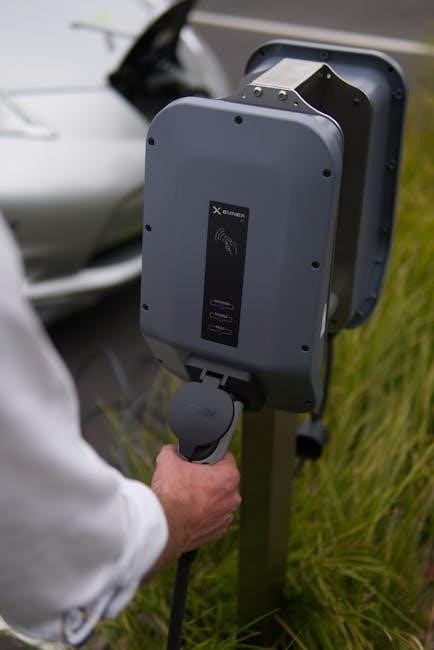
Beyond the BM3B, Black & Decker produces chargers with varying amperage outputs, influencing charging speed. Some models are specifically designed for smaller batteries found in power tools, while others are geared towards larger batteries in vehicles. Understanding the amperage rating and voltage compatibility is key to selecting the right charger for your specific battery type and application, as detailed in the product manual.
Voltage Compatibility: 6V, 12V, and Beyond
Black & Decker battery chargers, particularly models like the BM3B, are designed with versatile voltage compatibility in mind. The BM3B specifically supports both 6V and 12V battery systems, making it suitable for a wide array of vehicles, motorcycles, boats, and even some power equipment.
It’s crucial to always verify the voltage of your battery before connecting it to a charger. Using an incorrect voltage can cause irreversible damage to the battery or the charger itself. The charger’s manual clearly outlines the supported voltage ranges and provides guidance on selecting the appropriate setting. Ignoring these guidelines voids the warranty and poses a safety risk.
Charger Features & Indicators
Black & Decker chargers boast several features designed for user convenience and battery health. The BM3B, for example, is a portable charger/maintainer, offering flexibility in usage. Key indicators, primarily LED lights, communicate the charging status. These lights signal stages like charging, maintaining, and potential errors.
Many models include automatic/manual mode selection, allowing users to choose between a fully automated charging cycle or customized settings. Additional features often include short circuit protection and reverse polarity protection, enhancing safety. Understanding these features and interpreting the indicator lights is vital for optimal charging and battery longevity.
LED Indicator Lights Explained
Black & Decker battery chargers utilize LED indicator lights to convey crucial charging information. A solid red light typically signifies the charging process is actively underway, indicating power is being delivered to the battery. A flashing red light often signals a detected issue, such as reverse polarity or a short circuit – requiring immediate attention.
Once fully charged, the LED usually transitions to a solid green light, confirming the battery has reached its optimal charge level. A flashing green light may indicate maintenance mode, where the charger sustains the battery’s charge. Refer to your specific model’s manual for precise interpretations, as light sequences can vary.
Automatic/Manual Mode Selection
Black & Decker battery chargers often feature both Automatic and Manual modes, offering flexibility for different charging needs. Automatic mode simplifies the process; the charger intelligently detects battery type and voltage, adjusting the charging cycle accordingly. This is ideal for general use and convenience.
Manual mode grants users greater control, allowing selection of specific voltage (6V or 12V) and battery type (AGM, GEL, WET). This is beneficial for specialized batteries or when a precise charging profile is required. Always consult your battery’s specifications before using manual mode to avoid damage. The BM3B model exemplifies this dual-mode functionality.
Safety Precautions When Using a Black & Decker Charger
Prioritize safety when operating a Black & Decker battery charger. Always charge batteries in a well-ventilated area, as charging can produce explosive gases. Never smoke or introduce open flames nearby. Wear appropriate eye protection – safety glasses or a face shield – to guard against acid splashes.
Ensure the charger is disconnected from the power source before connecting or disconnecting the battery. Avoid touching the battery terminals during charging. Do not attempt to charge a frozen battery. Inspect the charger’s cord and clamps for damage before each use; replace if necessary. Keep the charger dry and away from flammable materials.
Charging Different Battery Types
Black & Decker chargers, such as the BM3B, are designed to handle various battery chemistries. Understanding these differences is crucial for optimal charging. Wet (Lead-Acid) batteries require regular maintenance and can tolerate a slower charge rate. AGM (Absorbent Glass Mat) batteries are sealed and maintenance-free, benefiting from a controlled charging profile.
Gel batteries, also sealed, are sensitive to overcharging; a specific Gel mode is often required. The BM3B typically offers selectable modes to accommodate these variations. Always consult the battery manufacturer’s recommendations for specific charging parameters. Incorrect charging can significantly reduce battery lifespan and performance.
Charging Lead-Acid (Wet) Batteries
Lead-acid (wet) batteries are a traditional type, commonly found in vehicles and requiring periodic maintenance, like checking water levels. When using a Black & Decker charger, select the appropriate voltage (6V or 12V) and amperage setting. A slower charge rate is generally recommended for wet batteries to prevent gassing and electrolyte loss.
Ensure the area is well-ventilated during charging, as hydrogen gas is produced. Regularly monitor the battery’s voltage and temperature. Avoid fully discharging wet batteries, as this can shorten their lifespan. The BM3B charger offers a maintenance mode ideal for keeping wet batteries topped off when not in use, preventing sulfation.

Charging AGM (Absorbent Glass Mat) Batteries
AGM batteries are sealed and maintenance-free, making them popular for various applications. Black & Decker chargers, like the BM3B, are compatible with AGM batteries, but require specific charging profiles. Select the AGM charging mode on your charger, if available, or choose a voltage-appropriate setting. AGM batteries generally benefit from a slightly higher voltage during absorption than wet batteries.
Avoid overcharging AGM batteries, as this can cause damage. The BM3B’s automatic mode is well-suited for AGM batteries, preventing overcharge. These batteries are sensitive to high temperatures, so charge them in a cool, dry place. Proper charging extends the lifespan and performance of AGM batteries significantly.
Charging Gel Batteries
Gel batteries, another sealed lead-acid type, require a specific charging approach with a Black & Decker charger. These batteries are particularly sensitive to overcharging, which can cause irreversible damage and gassing. Always select the “Gel” charging mode on your charger if equipped, or use a lower voltage setting than you would for a wet or AGM battery.
A constant voltage charge is generally recommended for gel batteries. Avoid rapid charging, as it can generate excessive heat. The BM3B charger, when used correctly, can provide a safe and effective charge for gel batteries. Monitor the battery temperature during charging and discontinue if it becomes excessively warm. Proper charging maximizes gel battery life.
Troubleshooting Common Charging Issues
Black & Decker battery chargers are generally reliable, but occasional issues can arise. Two common problems are the charger failing to recognize a battery or a battery not holding a charge after being “fully” charged; If the charger doesn’t recognize the battery, ensure a secure connection with correct polarity – red to positive, black to negative.
Check the battery terminals for corrosion and clean them if necessary. A battery that won’t hold a charge may be sulfated, damaged, or simply at the end of its lifespan. The BM3B’s desulfation mode can sometimes revive sulfated batteries, but severely damaged batteries will need replacement. Always consult the charger manual for specific error codes and solutions.
Charger Not Recognizing Battery
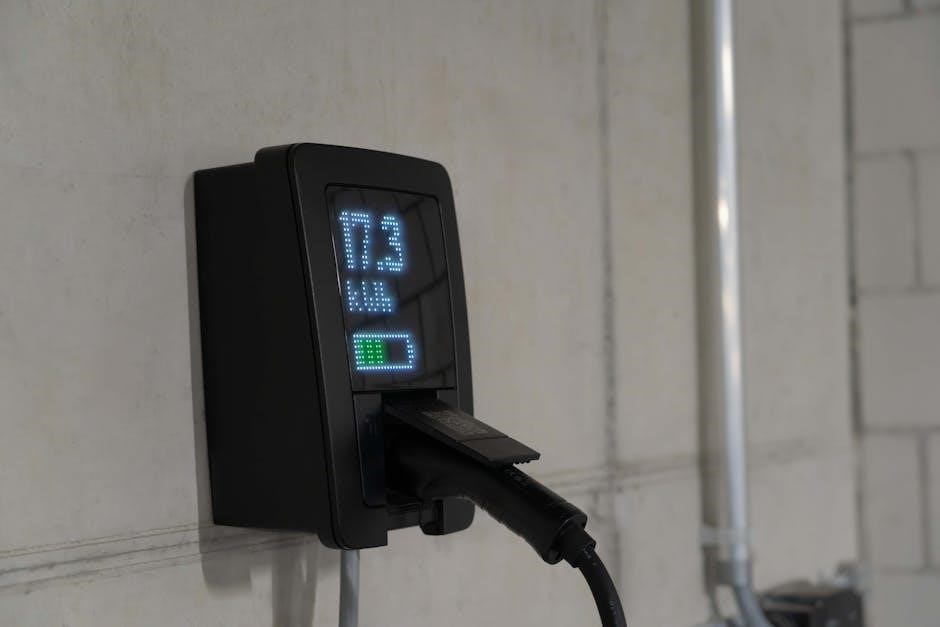
If your Black & Decker charger isn’t recognizing the battery, the first step is verifying a solid connection. Ensure the clamps are firmly attached to the battery terminals, making good metal-to-metal contact. Crucially, double-check the polarity: red clamp to the positive (+) terminal and black clamp to the negative (-) terminal. Reversed polarity can prevent charging and potentially damage the charger.
Corrosion on the battery terminals is a frequent culprit. Disconnect the clamps and thoroughly clean both the terminals and the clamp surfaces with a wire brush or a specialized battery terminal cleaner. A weak or discharged battery might also cause this issue; try charging a known-good battery to rule out a charger malfunction.
Battery Not Holding a Charge
A battery failing to hold a charge suggests internal damage or sulfation. Black & Decker chargers, particularly models like the BM3B, often include a desulfation mode designed to reverse this process, but it’s not always effective for severely damaged batteries. Repeated deep discharges significantly shorten a battery’s lifespan, accelerating sulfation.

First, ensure the charger is functioning correctly by testing it with a known-good battery. If the charger works fine, the issue lies with the battery itself. Consider a load test to assess the battery’s capacity. If the battery consistently fails the load test, it likely needs replacement. Age also plays a role; batteries have a limited lifespan, typically 3-5 years.
Black & Decker BM3B Charger – Detailed Overview

The Black & Decker BM3B is a 1.2 Amp portable car battery charger and maintainer, compatible with 6V and 12V batteries – including AGM, GEL, and WET cell types. Its compact design makes it ideal for automotive, marine, and general-purpose battery charging. This charger features multiple charging modes, including a desulfation function to potentially recover sulfated batteries.
The BM3B includes built-in safety features like reverse polarity protection and overcharge protection. It’s designed for easy use, with clear LED indicators displaying charging status and error conditions. It’s often sold at retailers like The Home Depot, offering a convenient solution for maintaining vehicle and other batteries.
Using the BM3B for Battery Maintenance
The Black & Decker BM3B isn’t just for charging depleted batteries; it excels at battery maintenance. Utilizing its maintainer mode, the charger provides a low, continuous charge to counteract the natural self-discharge rate of batteries during storage. This prevents sulfation, a major cause of battery failure, extending the battery’s lifespan significantly.
Regular maintenance with the BM3B is particularly beneficial for seasonal vehicles like motorcycles or boats. Simply connect the charger after the last use and periodically throughout storage. The BM3B’s automatic mode intelligently switches to maintain mode once the battery is fully charged, ensuring optimal battery health and readiness when needed.
Understanding Desulfation Mode
Black & Decker’s BM3B charger incorporates a desulfation mode designed to revitalize batteries exhibiting signs of sulfation – a buildup of lead sulfate crystals that impede performance. This mode applies a controlled, high-frequency current to break down these crystals, restoring the battery’s capacity and extending its usable life.
Desulfation isn’t a guaranteed fix for severely damaged batteries, but it can often recover batteries that would otherwise be discarded. The process can take several hours, depending on the extent of sulfation. It’s best used on batteries that have been deeply discharged for extended periods. Regularly utilizing desulfation mode can proactively prevent sulfation buildup, maximizing battery longevity and efficiency;

Connecting the Charger to the Battery
Black & Decker chargers require a secure and correct connection to the battery for safe and effective charging. Always begin by ensuring the charger is switched off before connecting. Identify the positive (+) and negative (-) terminals on both the charger and the battery – red typically denotes positive, and black negative.
Attach the red clamp to the positive terminal and the black clamp to the negative terminal. Ensure a firm grip; loose connections can cause sparking and inefficient charging. Double-check polarity before powering on – reversed polarity can severely damage both the battery and the charger. A stable connection is crucial for optimal performance and safety during the charging process.
Correct Polarity (Positive & Negative)
Maintaining correct polarity – connecting positive to positive and negative to negative – is paramount when using a Black & Decker battery charger. The red clamp always connects to the positive (+) terminal of the battery, while the black clamp connects to the negative (-) terminal.
Reversing this connection, known as reverse polarity, can cause immediate and significant damage to both the battery and the charger itself, potentially rendering them unusable. It can also create a hazardous situation, including sparking and overheating. Always double-check the connections before initiating the charging cycle to avoid costly mistakes and ensure safe operation;
Clamping Techniques for Secure Connection
Achieving a secure connection with the Black & Decker charger clamps is crucial for efficient and safe charging. Ensure the clamps fully encompass the battery terminals, making firm metal-to-metal contact. Avoid clamping onto corroded surfaces; clean terminals with a wire brush if necessary.
A loose connection can interrupt the charging process and generate heat, potentially damaging the battery or charger. After clamping, gently tug on each clamp to verify its grip. For recessed terminals, use extension cables if the standard clamps are too short. Prioritize a stable, unwavering connection throughout the entire charging duration for optimal results.
Black & Decker Charger Error Codes & Meanings
Black & Decker battery chargers utilize error codes to diagnose charging issues. While specific codes vary by model (like the BM3B), common indicators signal problems. A flashing red light often denotes reversed polarity – incorrect positive/negative connection. Other codes may indicate a faulty battery, overvoltage, or overheating.
Consult your charger’s manual for a complete list of error codes and their corresponding solutions. Ignoring error codes can lead to battery damage or charger malfunction. If an unfamiliar code appears, discontinue use and refer to the manual or Black & Decker support for assistance. Proper interpretation ensures safe and effective battery maintenance.
Finding Replacement Parts & Accessories
Black & Decker replacement parts and accessories for your battery charger are readily available through various channels. Authorized retailers like The Home Depot often stock common components, including replacement clamps and AC adaptors. Online marketplaces, such as Amazon and eBay, provide a wider selection, including older or discontinued parts.
When sourcing parts, always verify compatibility with your specific charger model number (e.g., BM3B). Black & Decker’s official website may also offer direct purchase options or links to authorized distributors. Using genuine Black & Decker parts ensures optimal performance and maintains the charger’s warranty. Avoid using generic or unverified components.
Where to Download Black & Decker Charger Manuals
Accessing your Black & Decker battery charger manual is straightforward. The official Black & Decker website is the primary source, offering downloadable PDFs for current and many older models; Simply navigate to their support section and search using your charger’s model number (like BM3B).
Alternatively, several third-party websites specialize in hosting manuals. ManualsLib and similar platforms often archive a vast collection of user guides. If you’re unable to locate the manual online, contacting Black & Decker’s customer support directly via their website or phone can provide assistance. Having the model and serial number ready will expedite the process.
Extending Battery Life with Proper Charging
Proper charging significantly extends your battery’s lifespan. Avoid overcharging, as it can damage the battery cells. Utilize the maintenance mode on chargers like the Black & Decker BM3B to keep batteries topped off without harm. Regularly check battery terminals for corrosion and clean them before charging for optimal connection.
For long-term storage, fully charge the battery before storing it in a cool, dry place. Avoid extreme temperatures. Periodically check the voltage during storage and recharge if it drops significantly. Following these guidelines, alongside your Black & Decker charger’s manual instructions, will maximize battery performance and longevity.
Charger Specifications & Technical Details
The Black & Decker BM3B charger boasts a 1.2 Amp output, compatible with both 6 and 12-Volt battery systems. It supports Wet, AGM, and Gel battery types, making it versatile for automotive, marine, and lawn & garden applications. Input voltage is typically 120V AC, standard in North America.
This charger features multiple charging stages, including desulfation, for reviving slightly damaged batteries. It includes short-circuit and reverse polarity protection for safety. The BM3B’s dimensions are approximately 8.5 x 4.5 x 2.5 inches, and it weighs around 2.5 pounds, making it portable and convenient. Refer to your specific model’s manual for precise details.